
GEM-CAR FAQ
Find the Marketing Follow-ups
This feature allows you to quickly locate all marketing follow-ups related to your clients or campaigns.
It facilitates the analysis of interactions, actions taken, and ongoing opportunities.
The steps below will show you how to efficiently access this information in the system.
There are two very simple ways to view and add new follow-ups.
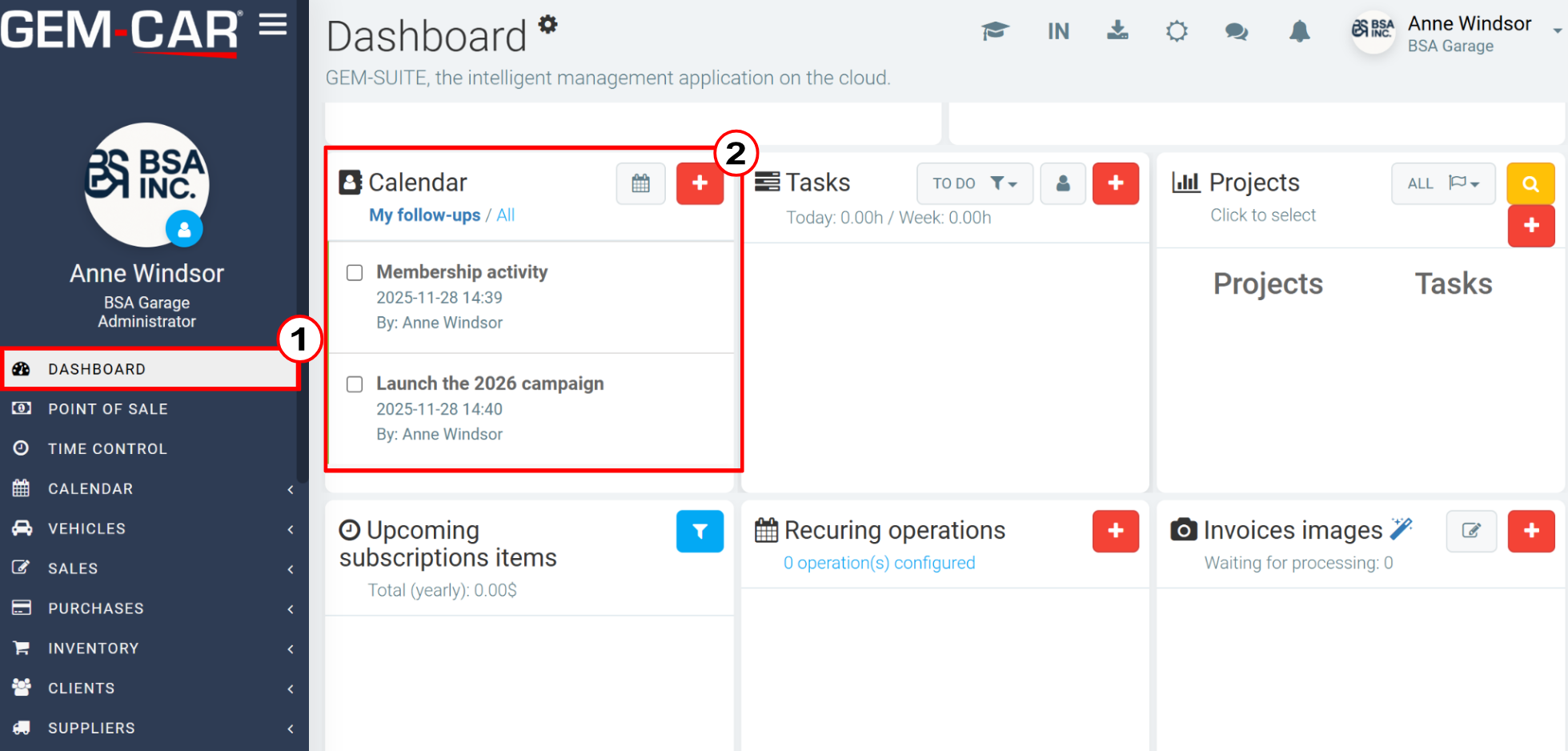
1. On the Dashboard
On the Dashboard, you can search for the Calendar menu. There you will find all your follow-ups.
To create a new one, click on the red button with the + sign.
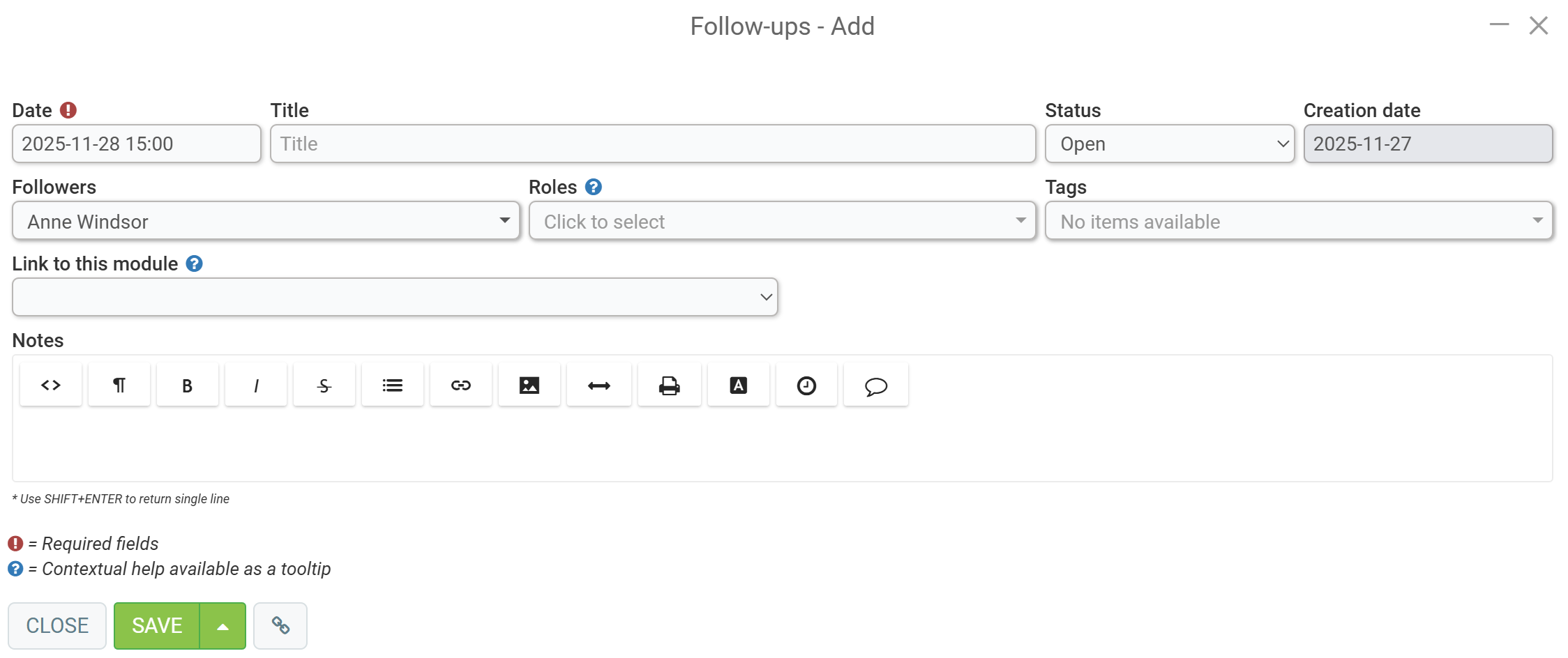
A new page will open and you will need to enter the following information:
- Date
- Title
- Followers
- Roles
- Link to this module
- Notes
Then click on Save.
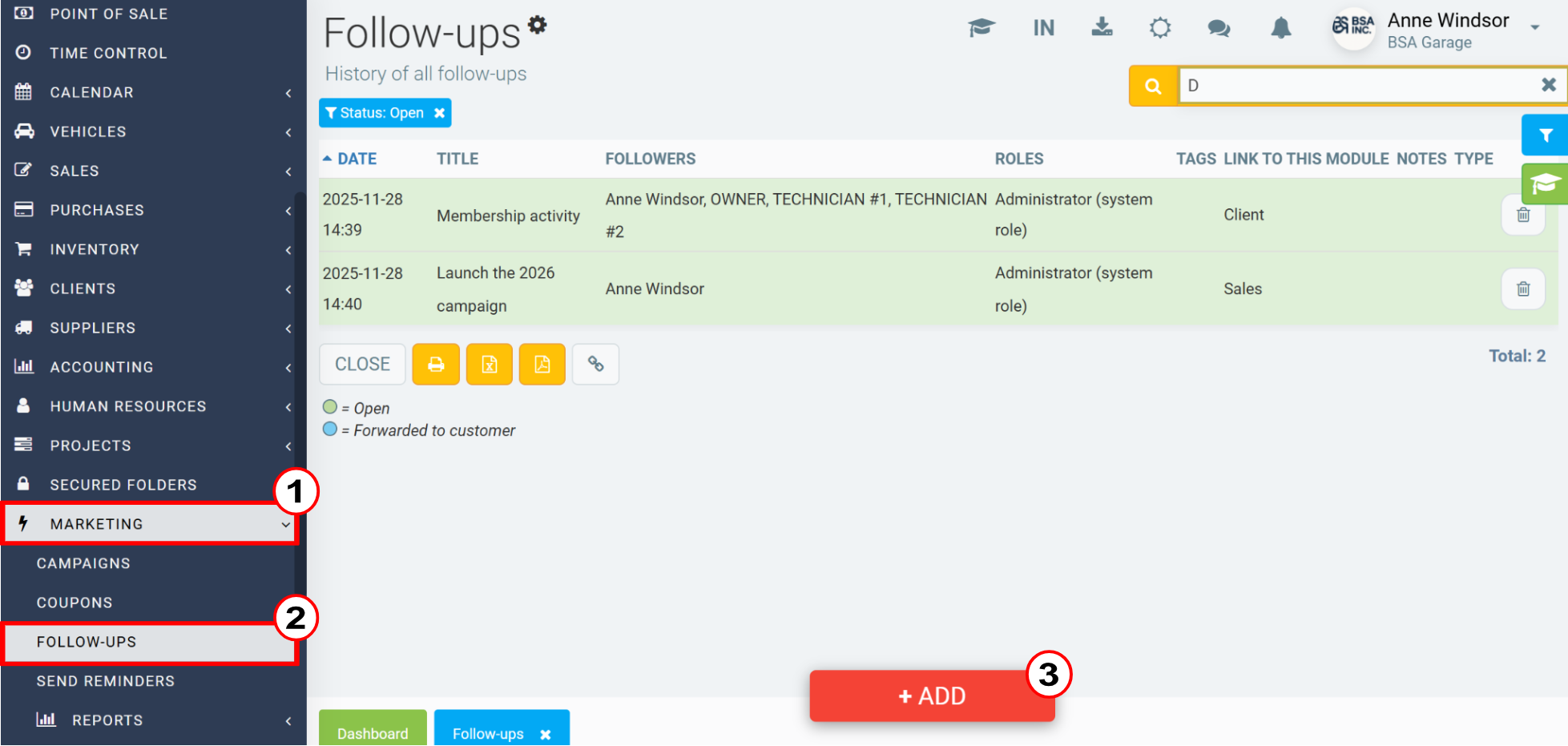
2. In the Marketing Tab
You can also access the following tabs in the left-hand menu: Marketing > Follow-ups.
In this menu, you will find the list of follow-ups. To create a new one, click on +Add.
Posted
7 months
ago
by
Bianca da Silveira De Amorim
#2648
43 views